Choose the state source
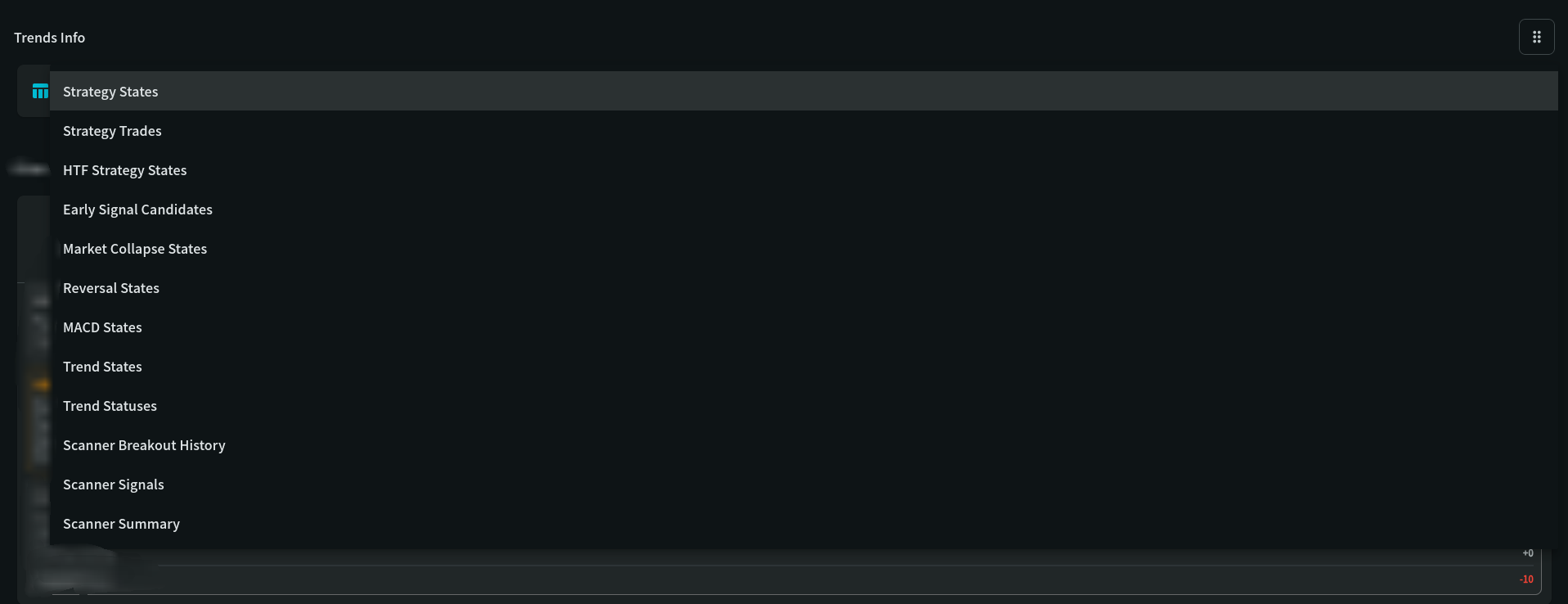
The selector chooses the underlying state table. Each table answers a different question, such as trend direction, MACD state, scanner conditions, strategy state, or market-collapse detection.

Browse the current state tables, including trend, MACD, scanner, strategy, and market-collapse information.
Availability
StandardUse this widget with its linked state records, your selected timezone, and independent risk management. A signal or chart does not guarantee a trade outcome.
Step-by-step use
Browse the current state tables, including trend, MACD, scanner, strategy, and market-collapse information.
Pick a view from Select Analysis View.
Narrow the list with Symbol and Search criteria, and check each row’s time.
Open a record to inspect the full state details.
Recommended attention order
Trends Info is for investigating stored records. Pick the right view, confirm each row is current, then open it for the full detail.
Select Analysis View → Symbol and Search criteria → read the row → open the record → confirm in the widgets
Choose the record type that answers your question: trend, MACD, scanner, strategy, reversal, market collapse, trades and others.
Filter to the coin and the field values you need, and check each row’s timestamp before reading it.
Direction, status, score and confidence together; a direction without strength or freshness is incomplete context.
Tap a row to see its reason, indicator values and the other fields your role can view.
Compare the record with Scanner Intelligence, MACD Signal Insights or My Chart. A stored state is evidence, not an order.
How to read this widget
Use these points to interpret the visible values before moving to a related record or decision.
The selector chooses the underlying state table. Each table answers a different question, such as trend direction, MACD state, scanner conditions, strategy state, or market-collapse detection.
Use the displayed local time and current-day filtering to judge freshness. A technically valid state can be stale if it belongs to an earlier session.
The list is a scan surface. Open a record before relying on it so you can inspect the complete fields, source context, and any related indicator values.
Field reference
Use these definitions to interpret the widget consistently across cryptocurrency and stock markets.
| Field | Meaning | Practical use |
|---|---|---|
| Symbol / timeframe | The instrument and candle interval represented by the record. | Never compare signals without matching both; a 5m state and a daily state answer different questions. |
| Direction / status | The current directional state calculated by the strategy. | Treat it as a state, not an order. Confirm freshness and supporting indicators first. |
| Score / confidence | Normalized strength or agreement of the underlying conditions. | Use for ranking candidates; define a minimum threshold and test it rather than assuming a high score wins. |
| Timestamp / synced_at | When the observation occurred and when it reached the service. | Check both to detect stale data or delayed ingestion before acting. |
Use shorter intervals for execution context, but confirm crypto signals against higher-timeframe trend and liquidity.
Use the daily/weekly trend for context and intraday states for timing; avoid treating pre-market or after-hours data as regular-session evidence.
My Coin Trends provides market information and technical signals. It is not investment advice. Verify every signal against current market structure, liquidity, and your own risk limits before making a trading decision.