
Application guide
Alerts and Notifications
Configure app, email, sound, and strategy notifications without losing control of alert volume.
Step01
In-app alerts
Dashboard announcements surface relevant account, registration, market, and strategy events. User-specific notices are shown only to the intended account.
Step02
Email and Telegram
Email and Telegram delivery depend on the configured service settings and per-event controls. Historical replay after an outage suppresses stale notifications until live processing catches up.
Step03
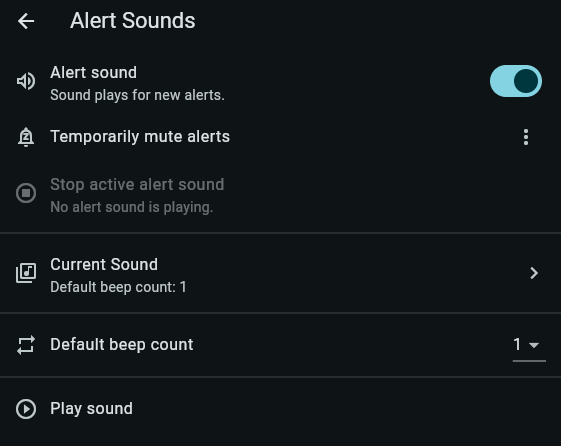
Sound controls
Use Settings → Alert Sounds to enable or mute alert sounds, stop active playback, and choose the default beep count. Browser permissions and device volume can also affect playback.